

- Journal moved from its own menu item into a Trades sub-page
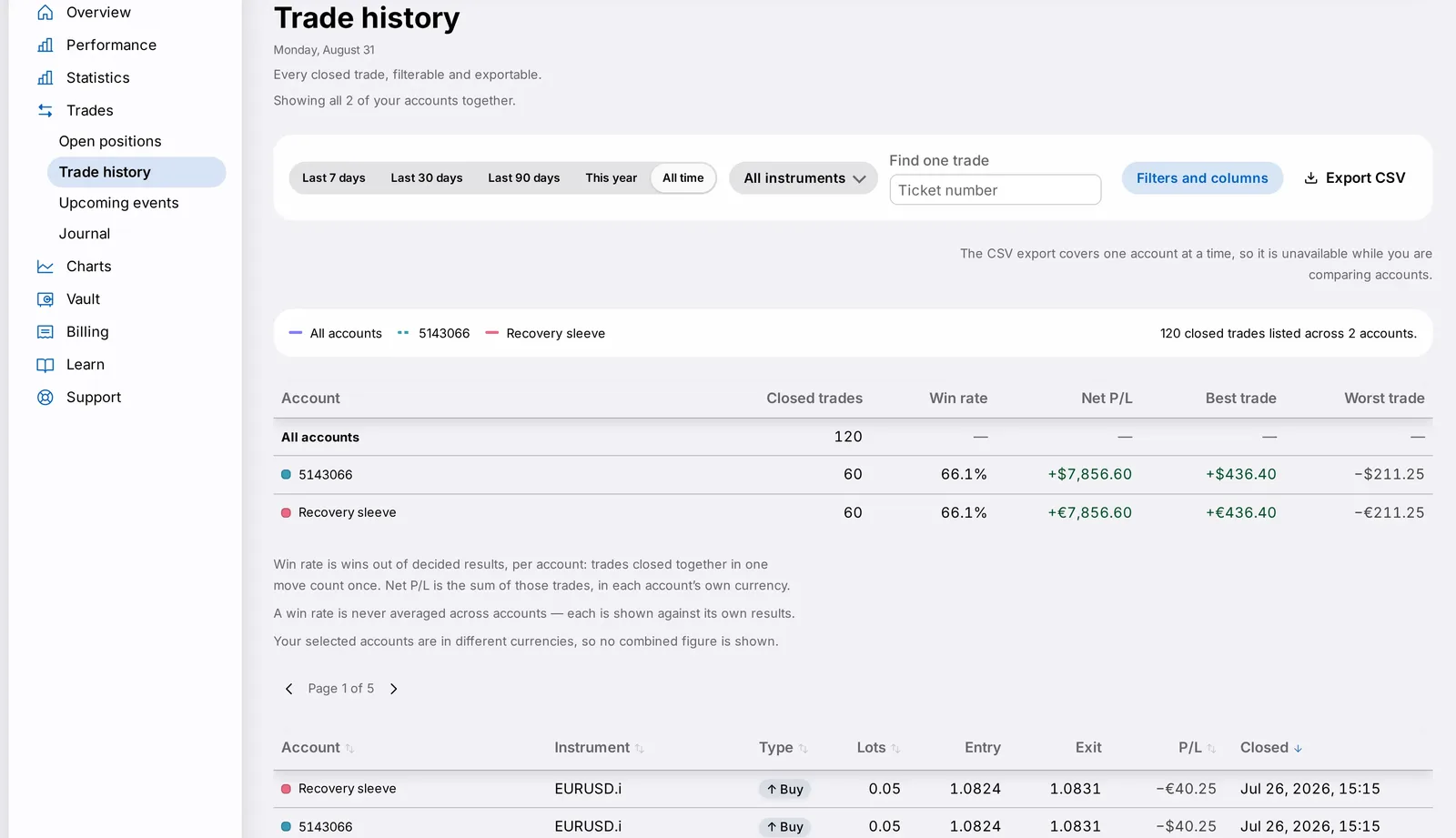
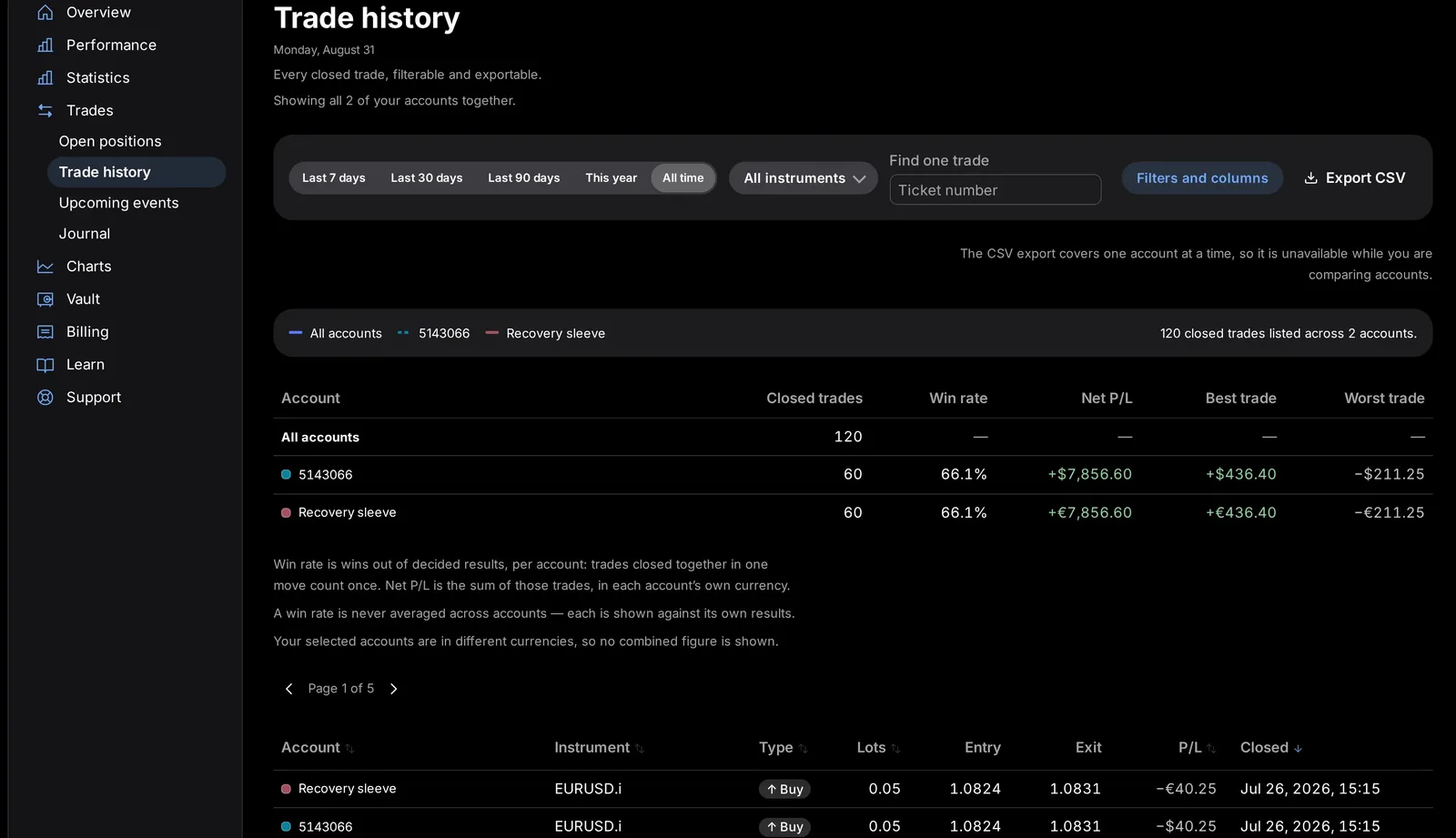
- Trades now groups Open positions, Trade history, Journal and Upcoming events
- Shared card/table design, consistent filters, and sheet-style detail pop-ups
Updated 11 October 2026. The Economic calendar sub-page is now called Upcoming events. It lists scheduled market-moving releases and whether your engine stands down for them. The other sub-pages are unchanged: Open positions, Trade history and Journal.
Your Journal — the notes and reflections you keep on your own trading — has moved out of the main sidebar and into a new sub-page inside Trades, alongside Open positions, Trade history and Upcoming events. The change lives in the Trades section of the dashboard, and it matters because it puts your own notes right next to the trades they describe, instead of in a separate part of the menu.
What changed
The whole Trades section has been rebuilt with the shared card and table components used across the redesign. Filters now sit in one consistent row instead of being squeezed into different layouts on each page, and details that used to open as separate pages now open as sheets — pop-up panels you can dismiss without losing your place.




Why it matters
Grouping the Journal with the rest of your trade activity reflects how most customers actually use it: as a companion to the trades themselves, not a separate destination. One consistent menu item for everything trade-related is simpler to navigate.
What you need to do
Your existing Journal entries are unchanged and all still there — you just need to know where to look for them now:
- Open Trades from the sidebar.
- Look for Journal listed there as a sub-page, next to Open positions, Trade history and Upcoming events.
In detail
- Trades now contains Open positions, Trade history, Journal and Upcoming events as sub-pages.
- Filters across these pages now share one consistent row instead of being squeezed into inconsistent layouts.
- Details that used to open as separate pages now open as sheets — pop-up panels you can dismiss without losing your place.
- All of your existing Journal entries carried over exactly as they were; nothing was reset or reformatted.
One more thing
Grouping Open positions, Trade history, Journal and Upcoming events under one Trades section reflects how these four things are usually used together: you check what's open, look back at what's closed, read your own notes on it, and check what's coming up on the calendar, often in the same sitting.
None of your existing Journal content needed to be rewritten or re-entered for this move; it's simply reachable from a new, more logical place.
Sheets that slide up for detail, rather than full page changes, also mean you lose less of your place when you're scanning through a long list of trades and want to check one entry without starting over.