- Homepage limits section is now a real control, not a static picture
- Four settings: risk level, daily growth limit, maximum drawdown, vault split — each a closed list of presets
- Vault split is the newest of the four; it was previously fixed, not selectable
The “You set the limits it works inside” section of the homepage shows the four boundaries a CFIN account is actually configured with. It used to be a static picture of these four settings; it is now a real control — each one a short row of tappable options with a visible indicator showing which is selected.
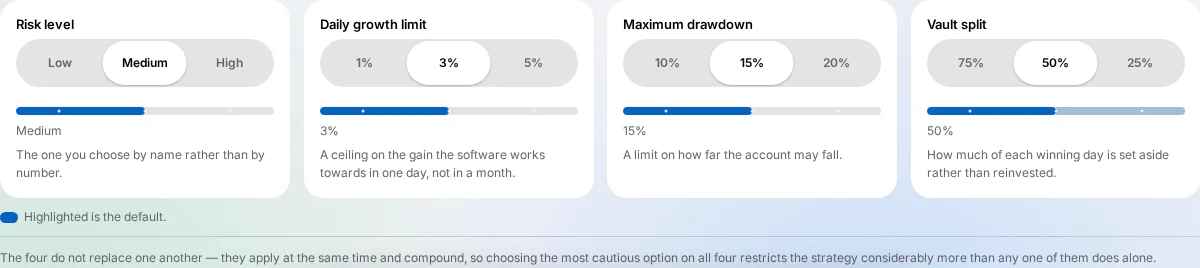
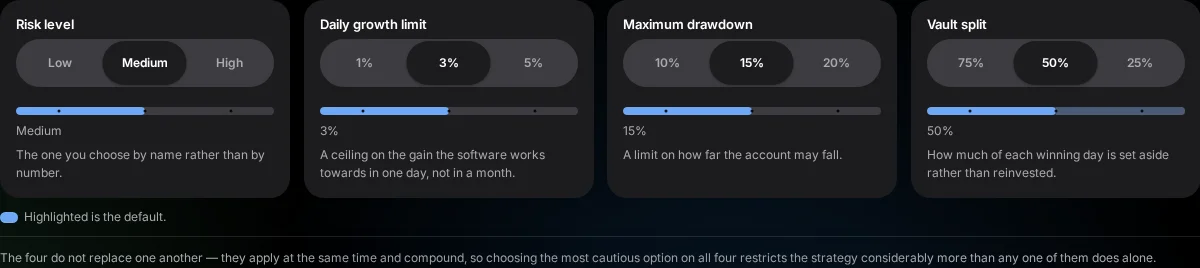




The four settings, as shown on the site today
- Risk level — Low, Medium or High. The one setting you choose by name rather than by number; Medium is the default.
- Daily growth limit — 1%, 3% or 5%. A ceiling on the gain the software works towards in one day, not in a month. Once a day's gain reaches it, the software stops opening new trades for that day. 3% is the default.
- Maximum drawdown — 10%, 15% or 20%. A limit on how far the account may fall; 15% is the default. Inside the dashboard the live figure is called the drawdown budget, and it shows how much of today's allowance is left.
- Vault split — 75%, 50% or 25%. How much of each winning day is set aside rather than reinvested; 50% is the default.
What each limit does, in code
Two of the four limits are checks the software runs continuously. This sketch shows their shape. It is a simplification, not the production code:
def daily_growth_gate(profit_today, day_start_effective_balance, limit_pct):
    """Stop opening new trades for the rest of the day once the day's gain reaches the limit."""
    gain_pct = profit_today / day_start_effective_balance * 100
    return gain_pct >= limit_pct       # upside only: a loss is judged against the drawdown limit

def drawdown_left(pool_base, dd_pct, closed_losses, floating_losses):
    return pool_base * dd_pct / 100 - closed_losses - floating_losses   # stop opening at 0
Note the direction. The growth limit is a profit-target stop and only a gain can reach it. A losing day is measured against the drawdown limit instead, which is why the two settings sit side by side. The day's starting balance is the effective balance: your balance after the vault is deducted. A paused account resumes at the next session. Trading carries a risk of loss, and a limit cannot prevent a loss from gaps, slippage or fast markets.
Why presets, not a free-typed number
Every one of the four is chosen from a closed list of preset values rather than typed in freely. That is a deliberate choice: a preset list can be verified against what the system will actually accept, where a free-typed figure could drift out of step with what the account is capable of honouring. Each one is yours to change from your account whenever you want.
They compound, not replace one another
The four settings apply at the same time rather than one overriding another. Choosing the most cautious option on all four restricts the strategy considerably more than any single cautious choice does on its own — the section makes this explicit directly under the controls, rather than leaving it to be inferred.
A visible indicator, not just a highlighted label
Selecting an option now visibly moves a fill indicator underneath each row to the option you picked, rather than only changing which label looks selected. Every value that indicator can show is drawn from the same preset values rendered on the page — nothing about the indicator's position is invented separately in the browser; it is simply a visual read-out of the option you already selected. Anyone with a reduced-motion preference set sees the indicator jump directly to its new position instead of sliding, consistent with how motion is handled throughout the rest of the redesign.
A related accessibility fix
A separate issue affecting these same four preset buttons — where a scroll animation was briefly hiding them from screen readers and squashing their widths unevenly — is covered in its own dedicated post, since it is a distinct defect with its own specific cause, worth explaining on its own rather than folded into this one.
Four settings, not three
The vault split control is the newest of the four — it became a per-account, customer-facing choice only recently, having previously been fixed rather than selectable. The section's own copy was updated at the same time to count four settings rather than three throughout, so a stale reference to “these three settings” would not quietly persist alongside a section that now genuinely shows four.
How to try it
- Scroll to the “Fast enough to matter” section of the homepage.
- Find “You set the limits it works inside”.
- Select a different option within any of the four rows and watch the indicator move to show your choice.
This section describes the settings a CFIN account can be configured with and what each one controls — it describes what each limit is and that it is customer-configurable. It is not a forecast. Past performance is not a reliable indicator of future results.